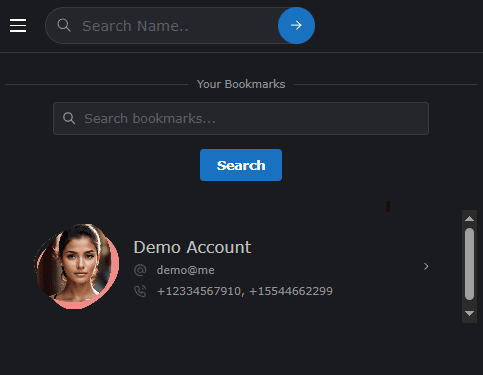
Bookmarks
Bookmarks are a powerful way to organize your experience on the ODude platform. They allow you to save your favorite ODude Names for quick access, while simultaneously rewarding both you and the owners of the names you follow.
What are Bookmarks?
A bookmark is a personal flag you can set on any ODude Name profile. When you bookmark a name, it is added to your personal “Bookmarks” list, making it easy to return to that profile later without searching.
Why use Bookmarks?
1. Quick Access
Never lose track of interesting people or businesses. Whether it’s a profile you visit frequently or a name you want to purchase in the future, bookmarks keep them one click away.
2. Follow Trends
By bookmarking popular names, you can easily monitor updates to their profile, assets, and marketplace listings.
3. Earn Credits (Win-Win!)
ODude rewards social interaction. Every time you bookmark an ODude Name:
- You earn 10 ODude Credits.
- The owner of the name earns 10 ODude Credits.
This makes bookmarking a great way to support the community while growing your own credit balance.
Note: Removing a bookmark will deduct the 10 credits that were previously awarded to both parties.
Where to find your Bookmarks
You can access your complete list of bookmarked names at any time by:
- Navigating to the Bookmarks section in the main menu.
- Visiting your personal dashboard where recent bookmarks are displayed.