Registering a Name
Creating your unique identity on Odude is a straightforward process. This guide provides a step-by-step walkthrough to help you secure and set up your first Odude Name.
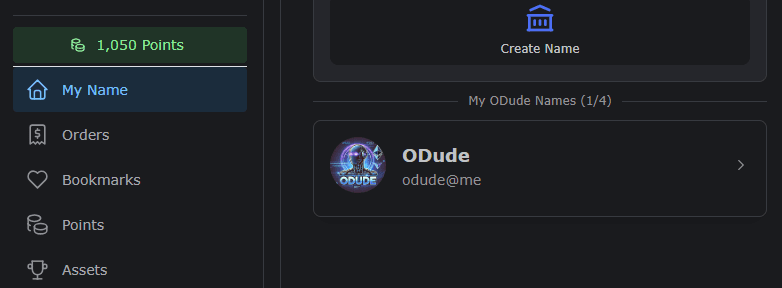
Step 1: Navigating to the Registration Page
To begin registration, navigate to the Names section on the main Odude portal dashboard.
Note: You must be logged in to your Odude account to register a name.
Step 2: Searching for Availability
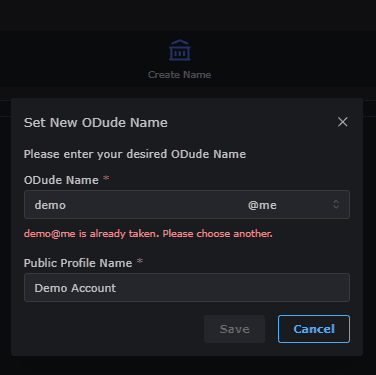
In the search field, enter your desired handle (e.g., demo). The system will instantly check if the name is available for registration.
- Available: If the name is free, you will see a “Save” button.
- Unavailable: If the name is already taken, try adding numbers or unique characters to make it distinct.
Step 3: Completing the Registration
Click the Save button next to your chosen name. Once registered, you can immediately start adding records like your display name, bio, and social links.
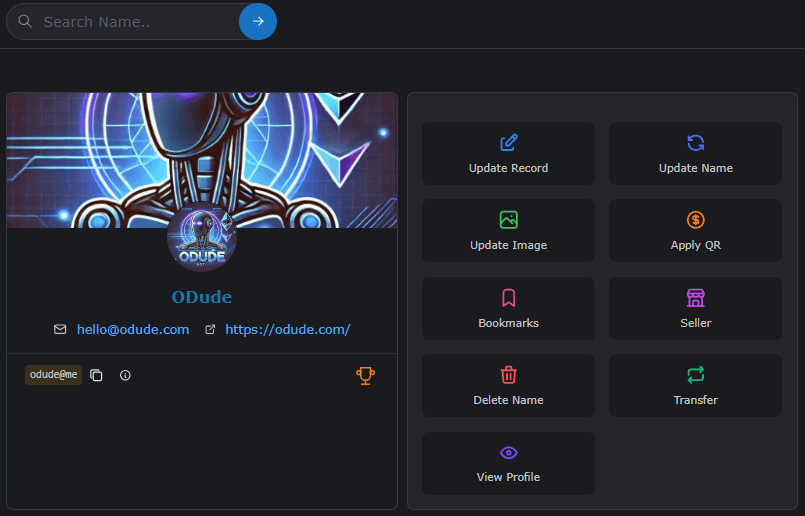
What’s Next?
Now that you have your name, learn how to Manage and Edit your records.
Last updated on