Asset Management
The Asset Management page (name.odude.com/assets) is where you control all the assets that have been issued to your Odude Name. This is your personal hub for accepting, organizing, or hiding your digital collection.
Managing Received Assets
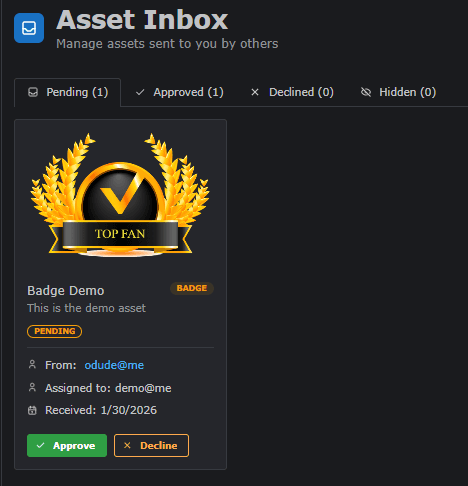
When an owner issues an asset to you, it doesn’t always appear on your profile immediately. You have full control over the lifecycle of your assets through the following tabs:
1. Pending Tab
All newly issued assets arrive here first.
- Action: You can choose to Approve or Decline the asset.
- Note: Pending assets are not visible on your public profile.
2. Approved Tab
Assets you have accepted are listed here.
- Visibility: These assets are displayed on your public profile by default.
- Action: You can move an approved asset to the Hidden tab if you no longer wish to show it publicly but want to keep it.
3. Declined Tab
If you reject an asset, it is moved to this tab.
- Effect: Declined assets are essentially discarded and do not affect your profile.
4. Hidden Tab
This tab contains assets you have approved but chosen to hide from your public profile.
- Action: You can move assets back to the Approved tab at any time to make them public again.
Last updated on